
This is my review of the Miyoo Mini Plus.
I’ll get all the relevant information out of the way to be completely transparent about this review, so you can judge for yourself whether or not my perspective covers everything you’re looking for.
I’ve used the Miyoo Mini Plus for approximately twenty six hours as of this writing according to the Activity Tracker app. The device is running the latest firmware and Onion OS with screen brightness set to the lowest setting, WiFi turned off, and volume set to low. I’ve spent most of this time playing Link’s Awakening DX and Lunar Silver Star Story Complete indoors. I played in about four hour chunks for Link’s Awakening DX and around thirty minute chunks for Lunar Silver Star Story Complete. I bought mine new from Amazon for around sixty four dollars shipped and with my own money. No one payed me for this review and is completely my own opinion.
OK now that’s out of the way, let’s get into the review.
I personally don’t find specs and raw benchmarking data that important because it doesn’t necessarily reflect what games will run and how well they will run as that also depends on how well the emulator software works on these devices and operating systems in addition to just raw power. But for those who want to know, here are the specs.
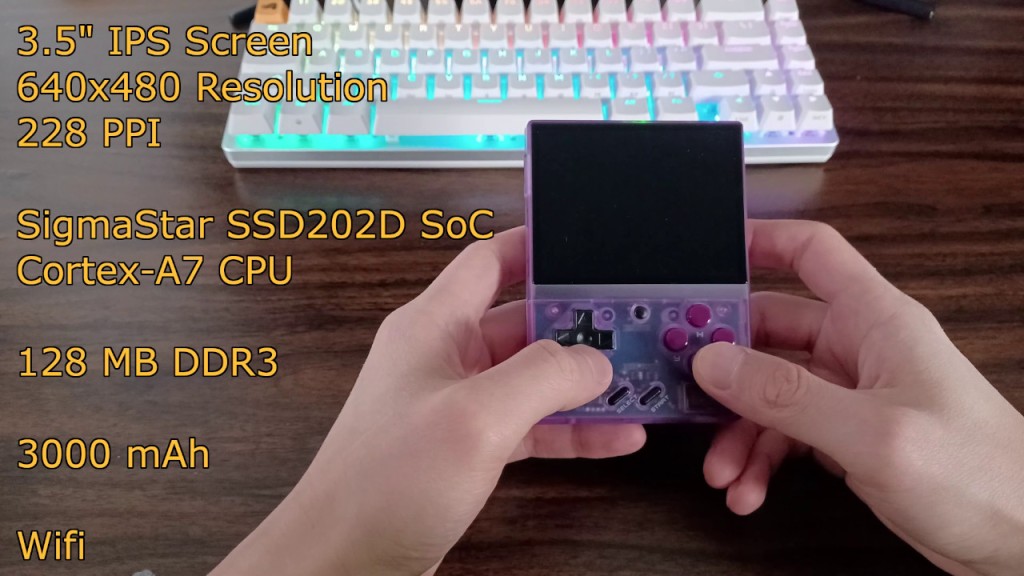
Now what this all means is that the Miyoo Mini Plus will pretty much handle all games up to the Sony PlayStation 1 very well and even play some Nintendo DS games with native Drastic support in the latest version of Onion OS. DS performance isn’t perfect but the developers are constantly making improvements.
I’ll start with the positives, then move on to the negatives, followed by some things to consider, and end with my conclusion.
Positives
I personally think this is a fantastic device. It’s very reminiscent of the Atomic Purple Game Boy Color I had growing up. Nostalgia is definitely a strong factor for me. It runs all the games I’m interested in very well. It looks and sounds great and handles very well. The device feels good in my hands and is very pocketable.
If we take a look at Retrosizer to get an idea of the size, we see that the device is essentially a shorter Game Boy Color. I’ll include some other systems to give you guys a better idea of the size.
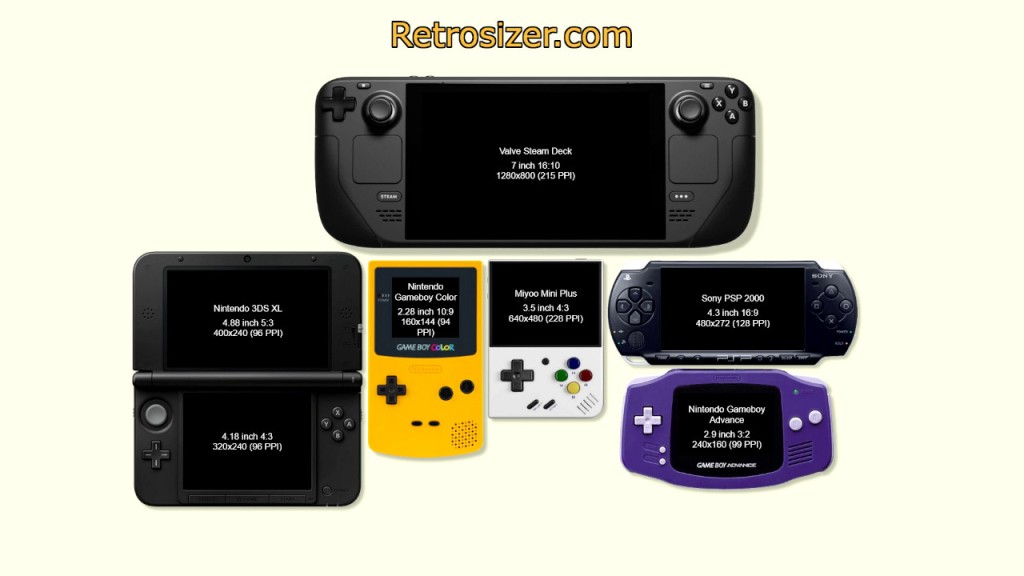
I was mainly interested in replaying all the games of my childhood; all the action/adventure games and RPGs on the Game Boy Color, Game Boy Advance, and SNES as well as all the fantastic JRPGs on the PS1.
As for the ergonomics, it’s not perfect but completely serviceable. My hands are on the small side so I had no problem playing on the Miyoo Mini Plus for long sessions but I did find myself wishing it was a tad larger.
I have very basic wants in terms of operating system features and Onion OS more than delivers on all of them. I’m just mainly interested in having a simple enough UI to navigate through my games and be able to create as many save states as I want.
I will say here that the default setting for RetroArch in Onion OS is for ten save states max per game. You can change this setting easily but I didn’t know. If you create more than ten save states, it will delete the oldest one when creating the most recent one. This screwed me over royally because I use a lot of save states to test different things or for recording footage for reviews. I had thirty nine save states for Link’s Awakening DX and imagine my horror when I loaded the earlier ones they were all gone.
I will also say the shortcut of pressing menu and L2 and R2 to load and save are convenient but it did screw me over when I loaded a save state by mistake instead of saving. Boy oh boy, I lost five hours of progress. Now I know it’s completely my fault for pressing the wrong button and for not creating save states regularly. Consider it a friendly warning for those who have an itchy trigger finger.
As for the battery life, it more than enough. I would play for four hours straight from full charge and still have around fifteen to twenty percent left with screen brightness set to low, WiFi turned off, and volume set to low for Game Boy Color.
I really enjoy playing on this device. The pickup and play nature and ease of use combined with the portability make it a great handheld. Now, while I really love the Miyoo Mini Plus, it isn’t without flaws. Here are some drawbacks I’ve personally encountered while using the device.
Negatives
For starters, the overall ergonomics can be improved. I found myself holding the device like this. As you can see here the bottom of the device is held up by my pinkies and there is a large gap between my palm and the device itself. Most people usually have the same grip but may use their ring fingers instead. This isn’t very ideal or comfortable but you do get used to it. Having a slightly wider and longer device would make it much more comfortable to hold without sacrificing portability.
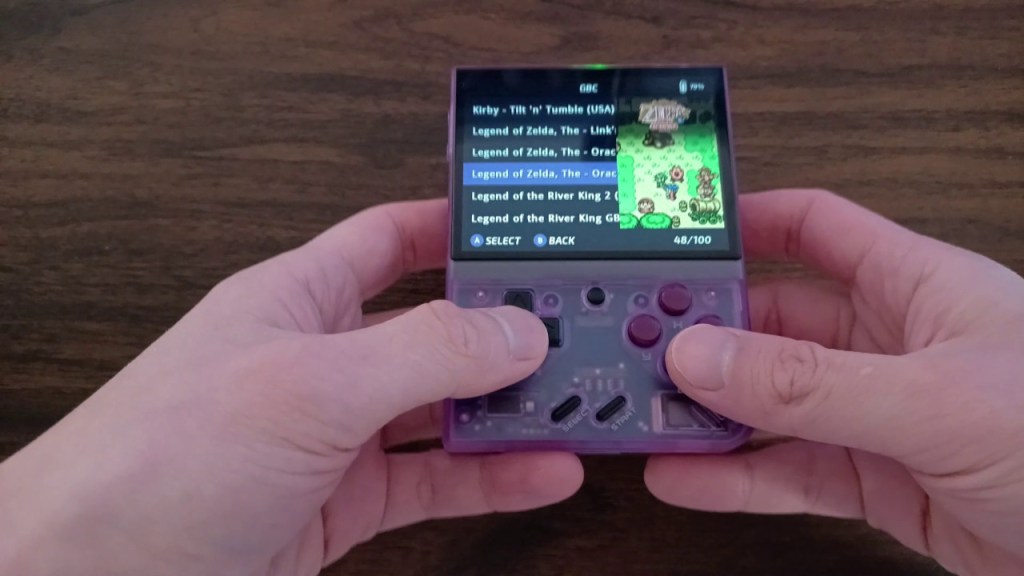
There is another issue that I found that no one else has mentioned. When you are playing lying down, the device is very uncomfortable to hold. This is because in order for you to prevent the Plus from dropping unceremoniously onto your face, you have to hold up the device with your thumbs or put constant pressure on the sides. It puts more strain near your thumbs and makes it harder to push the buttons.
Moving on to sound, the audio quality when using wired earbuds was great. However, there was one major problem. Because of how the device is held, your pinky or ring finger will inevitably rest on the audio jack. You’ll have to adjust your grip and curve your bottom finger more to accommodate the jack depending on how your earbuds or headphones connect. This isn’t very comfortable.
Another related problem is the speaker grill on the bottom right. The grill is very close to the B button. If you have a large thumb, it’ll be very easy for it to muffle the sound if you rest your thumb near the button. This requires you to curve your thumb and you get used to it as well but it is slightly uncomfortable to do so.
Now there is one solution that fixes all of these problems and that is to buy a gripcase or a grip like the one shown here. While the blocky nature of the grip might look uncomfortable, it actually helps a lot and fixes most of these problems by making physical contact with your palms. This makes it much more comfortable to hold for longer sessions as well as when lying down. It also protects the speaker port and prevents you from putting stress on it. A gripcase will help to protect the device and the screen while keeping it roughly the same overall size so no sacrifice is made in portability or pocketability. Not everyone likes the feel of a gripcase or blocky grip so I would test it out by making one out of cardboard and see if it works for you.
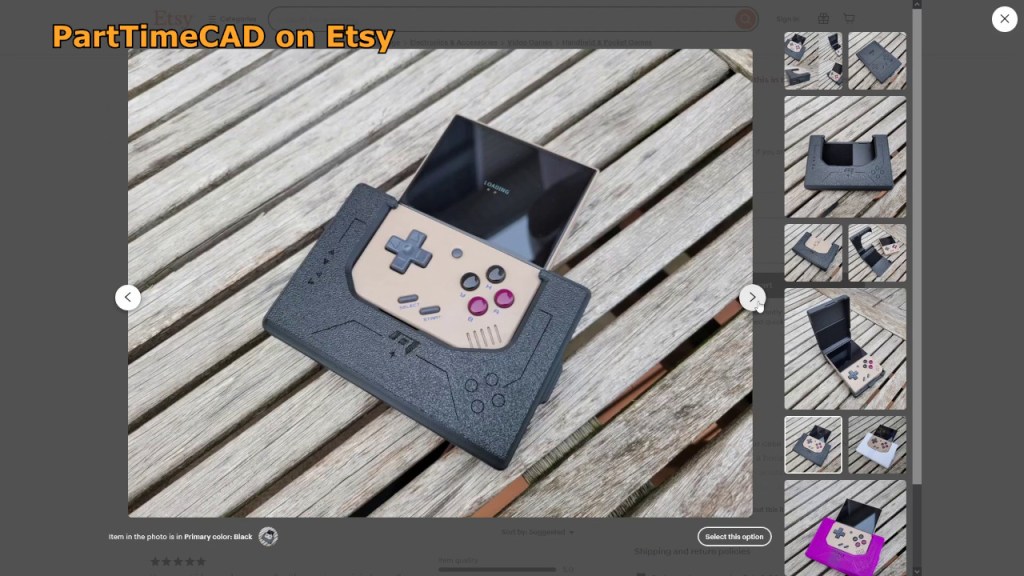
There is just one problem with this solution though. These gripcases or grips, while very nice, usually cost around twenty to twenty five dollars shipped and now you’re turning a fifty to sixty dollar device into something much closer to a hundred dollars. I think it’d make sense to get one if this is going to be your only device or your main device and you really like this form factor but it’s no longer a budget friendly device at that point. There are also so many lovely custom buttons, stickers, and fancy doodads you can buy. The amount of money you can spend on it really starts to add up.
Now this is a just small nitpick but while the audio is serviceable, these tiny speakers really don’t cut it for me. The audio volume and clarity can be much improved. I know you can mod the speakers but I’ve heard the changes. While the volume is greatly increased, the clarity remains at roughly the same level. It’s not a major problem but a small nitpick none the less. Using earbuds provide for a much better listening experience but sometimes I just don’t want to use them.
Things to Consider
Now moving on to things some people may want to consider. I know the main audience for this scene is anywhere from thirty to sixty years old. While I may not look it, I’m getting quite old myself and as you get older your eye sight, hearing, grip strength, and finger flexibility all go down hill.
If you find yourself having trouble reading tiny text, the three and a half inch screen may not be big enough for you and you may want to consider something with a larger screen such as the RGB30, 405v, and etc. These devices have four inch screens but also cost more. If four inches isn’t cutting it for you, it’d be safer to go for a six or seven inch screen at that point. You can test out screen size preference by using a phone if you have one available and if it can run games. The aspect ratio of the screen also makes a big difference depending on which consoles you are emulating.
If you are hard of hearing, the speakers will be OK but will require you to turn them up quite a bit. I’ve found the overall sound quality to be acceptable enough but recorded speech was a bit hard to discern for me. This was mostly due to the compressed audio quality and not necessarily because of the speaker itself.
If you have larger hands or easily fatigued hands, buying a grip or a gripcase may become necessary, so make sure to factor in the cost of getting one when making your purchasing decisions.
If you are giving this device to a child or have butter fingers yourself, dropping the device is pretty much guaranteed to destroy the screen. We have some options here to fix this but it also requires you to spend extra money.
One solution is to get a lanyard mod for the device. One type goes into the audio port and this is questionable as it prevents you from using any wired headphones or earbuds and it’s not a very secure connection to the device. The second type of lanyard connects to the back by replacing one of the screws. This one will be much more reliable. You can also get a bumper case to help absorb the shock but then this means you cannot use a gripcase or a grip. If having butter fingers applies to you, also remember to factor in this cost when making your purchasing decision.
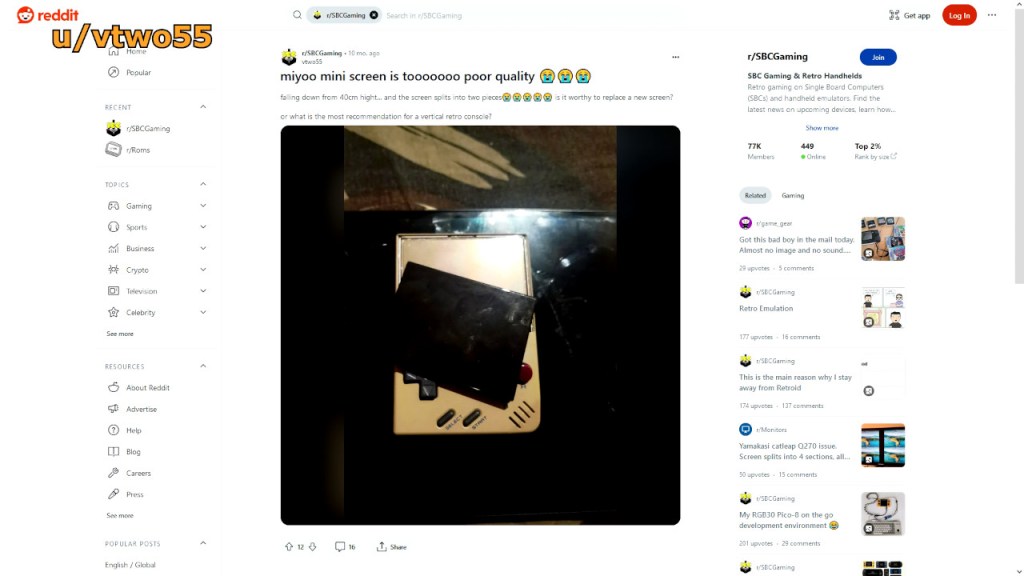
If having a screen protector is a must for you, the one that comes with the device is much smaller than the screen. If this bothers you, you will need to buy a larger one. Another cost to consider.
Conclusion
In conclusion, The Miyoo Mini Plus is far from a perfect device but for those looking for a vertical form factor with high portability and pocketability along with systems up to the PS1 as their main goal, this is a very good choice. The only other device that can compete in this price range and form factor is the RG35xx or the RG35XX plus. The upcoming Miyoo Mini Flip may be a great option if the hinges prove to be reliable. There is also a growing fan base for the R36S as well. For the crazy one handed gamers, you can go even smaller with the Miyoo Mini V4 or older versions, RG Nano, GKD Pixel, and etc.
One other thing to consider is the sheer amount of third party support for this device. Since it’s very popular, you can find many free 3D printable mods as well as buy mods on shops like Etsy. Just about every aspect of the device has some sort of fix, upgrade, or customization available. The level of software support is excellent as well. You won’t find this for most handhelds.
I’m enjoying my time with the Miyoo Mini Plus. I mainly use it to pick up and play one game for thirty minutes or so after dinner in order to unwind in the evening. It’s a great device to relive my childhood memories as well as visit old classics I never got to try out.
If there’s any questions or aspect of the device you’d like for me to cover, please feel free to let me know and I’ll do my best to answer every comment and improve my review format for the next device I cover. I plan on releasing two reviews for any devices I get in the future. One review being more focused on technical specs, benchmarks, emulation performance, and so forth and the other review being more relaxed and experience based like this one so I can cover everything about the device.
Thank you for dropping by and reading my review. Hope you guys are staying safe and sane out there and catch you guys next time.

 Ducky Obrien