
Research Core Basics
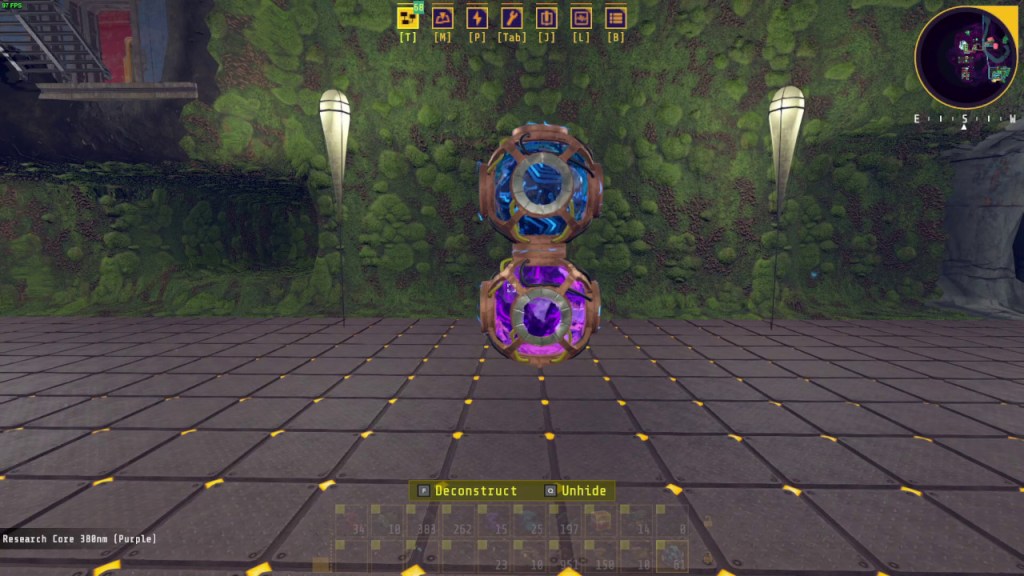
Research Cores are the purple or blue orbs that you can build or find in the game world. They are used to unlock new upgrades. Each research core is a physical item that must be placed somewhere in the world. Once placed, each core will unlock one research point of the corresponding color. Upgrading the Production Terminal by feeding it the required materials will unlock new research tiers and using the purple research points will unlock the available upgrades.
Building Cores
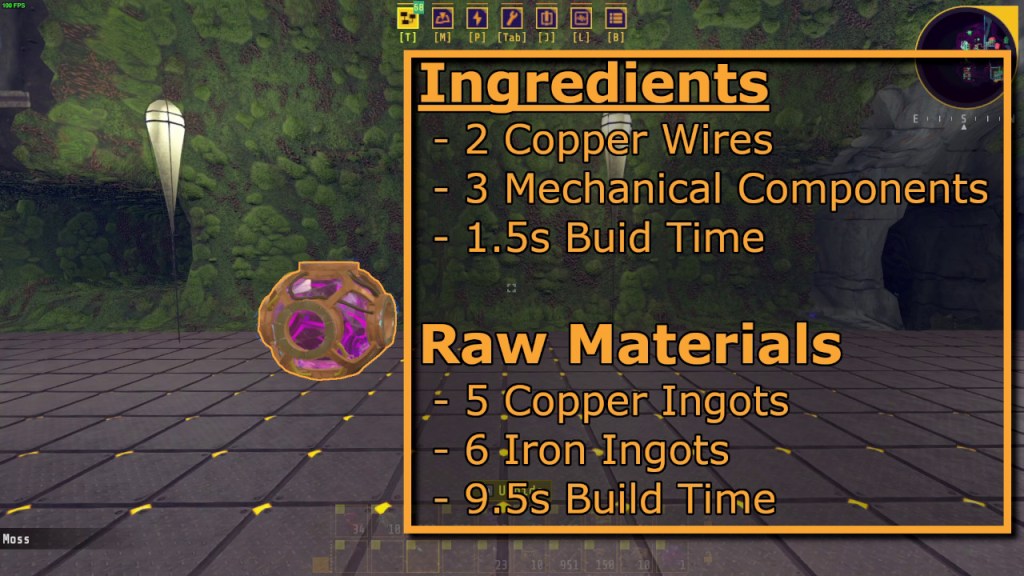
As for building them, they are under the production tab in the research section which is all the way at the bottom. To bring up the build menu, press the “Tab” key. Each core requires 2 copper wires and 3 mechanical components which translates into a raw material cost of 5 copper ingots and 6 iron ingots. The hand build time for raw materials is 14.25 seconds. You don’t have to worry about automating production or making a lot of the research cores until you get to the next terminal. Crafting a few by hand while you are at Terminal LIMA will be more than enough. You can place your cores in a small cave to the left of Terminal LIMA. This cave already has pre-existing cores.
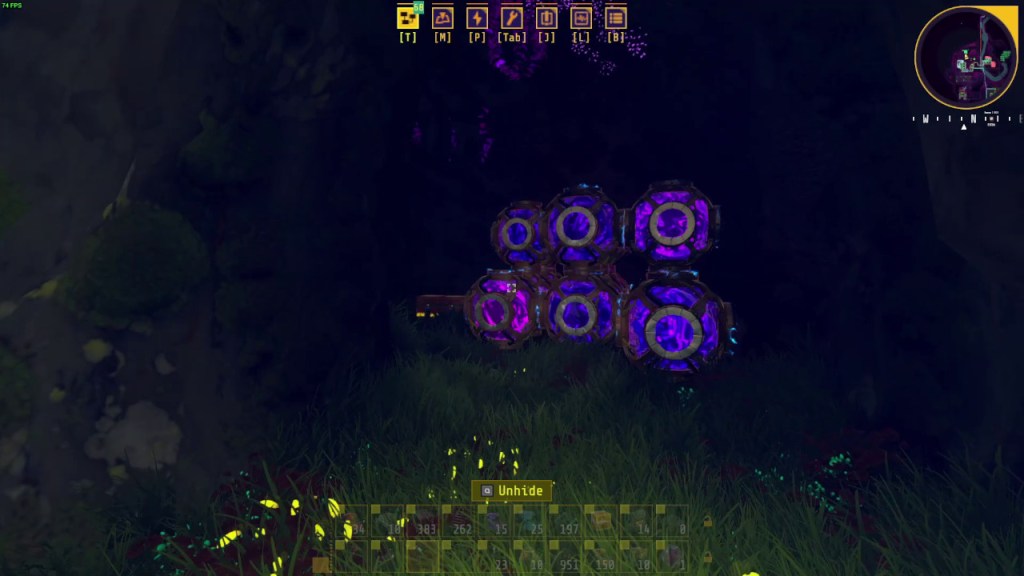
The next terminal will be shown by a way point once you finish some objectives.
Later on, you will unlock the blue research cores which will unlock the next tier of upgrades. That will be a bit into the game so we will just focus on the purple research cores for this article. You can use the same general approach for blue research cores.
Removing Cores
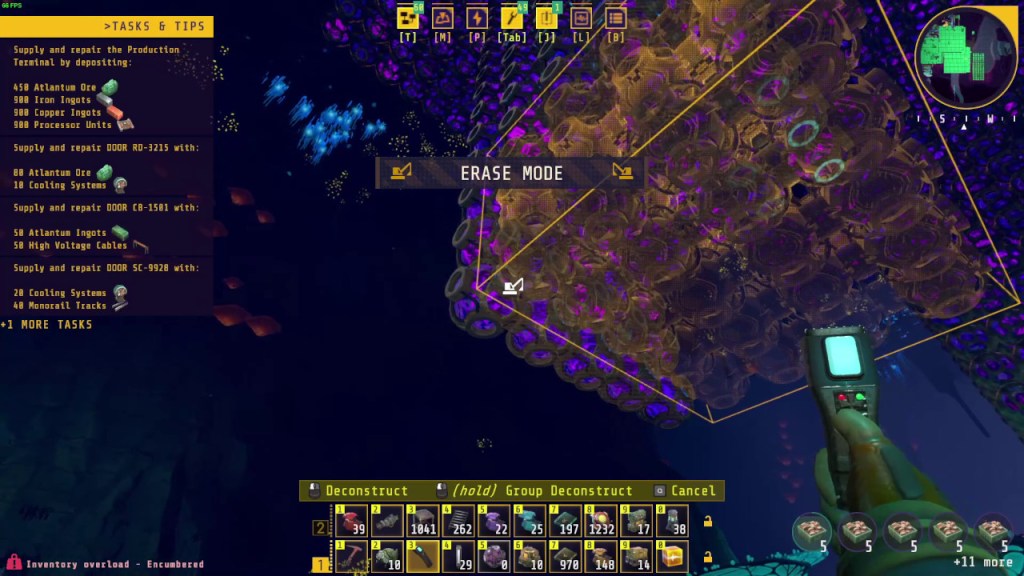
As a side note, I would not recommend removing the research cores unless you need to. In order to move research cores around, you will need the Core Reassignment ability. To bring up the research menu, press the ‘T’ key. Core Reassignment is found in the science tab of the research tree, in the Silverthorn Processing Section under Terminal VICTOR and costs 15 purple research points. You will need to unlock the Core Composer before you can unlock Core Reassignment. The Core Composer unlock will cost 85 research points so we will worry about that later.
If you do remove the cores, it will subtract one research point per core even if you have 0 points. You will end up with negative research points. I would not recommend doing this until you have unlocked all the upgrades that use purple research cores unless you are just relocating them. Having negative research points does not seem to disable the unlocks you have enabled currently.
It is entirely safe to remove the cores since the deleted cores go straight back into your inventory and you can place them down again. It is slight hassle however, since the cores must be placed down in order for you to use the research points.
Core Composer
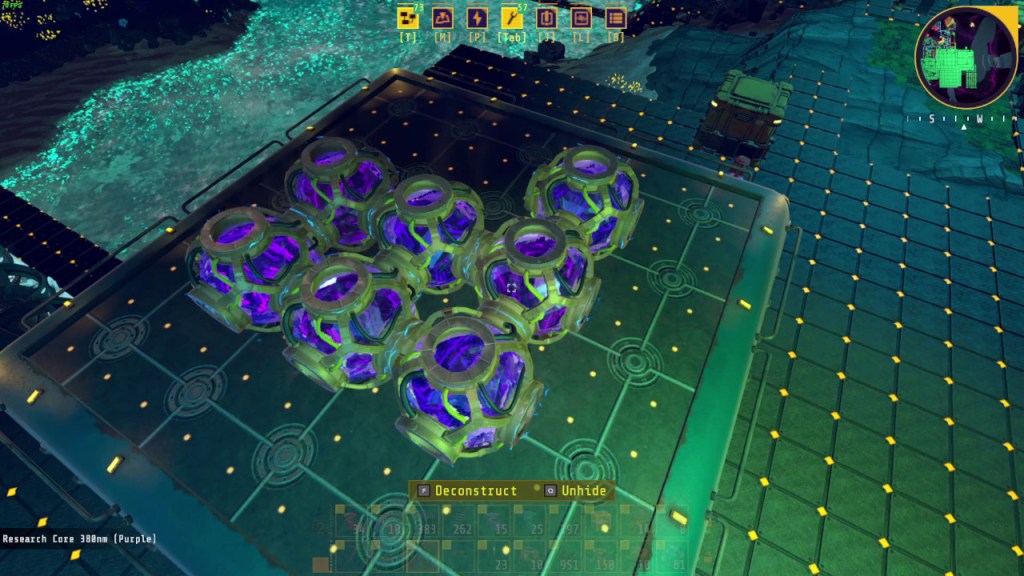
Once you get the way point for the next terminal, you can tunnel your way to Production Terminal VICTOR. There is already a Core Composer placed near Terminal VICTOR so you don’t have to unlock it in the research tree unless you want to. My suggestion is to just use the pre-existing core composer since I really didn’t need more than one.
What the Core Composer does is take in the purple or blue Research Cores via inserters and conveyor belts and rearranges them into a massive structure automatically. This is very convenient after you automate the production of research cores. There is a limit to the number of cores you can place on a core composer. You will see a red ‘X’ show up on the Core Composer when it is full. A full composer will still take in research cores but not place them. When this happens, simply delete the Core Composer and move it to an adjacent location and slightly adjust your conveyor belt and inserter layout.
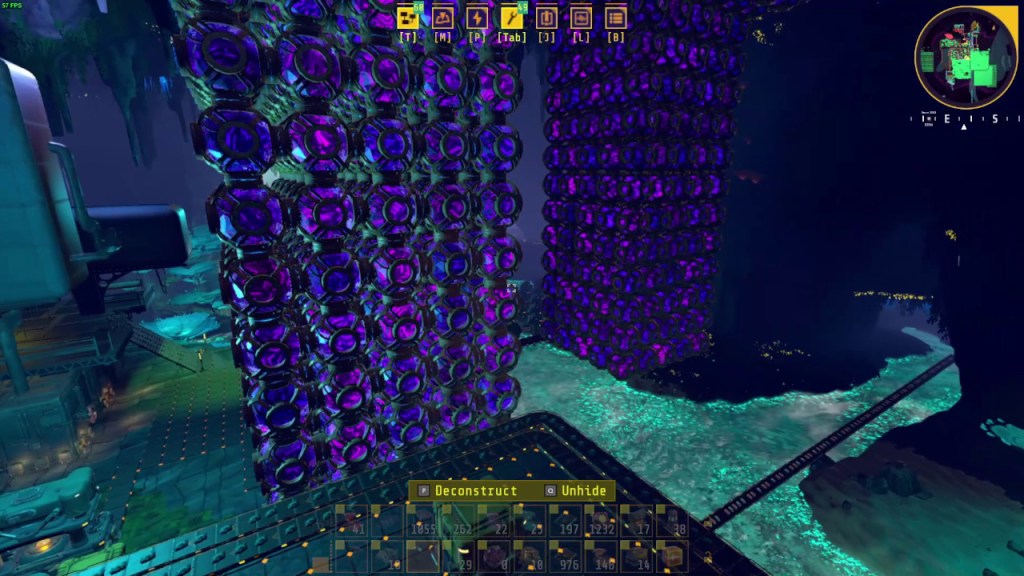
As you can see from my base shown above, I am incredibly lazy and just moved the Core Composer nearby after it got full. It’s messy but it works. For those of you with base building OCD, you can simply just delete all the cores after you get all the unlocks, or you can rehome the cores somewhere else or use them as decorations for your build.
If you do want to unlock the Core Composer, the Core Composer can be found in the science tab, in the Electrical Components section under Terminal LIMA. It will cost 85 research points to unlock.
To build a Core Composer, it will be located in the production tab, and in the Research section which is all the way at the bottom. It will require 20 Iron Frames, 10 Mechanical Components, and 50 Electrical Components which translates into 23 copper ingots and 112 iron ingots. The hand build time for raw materials is 339.5 seconds.
Automating Production
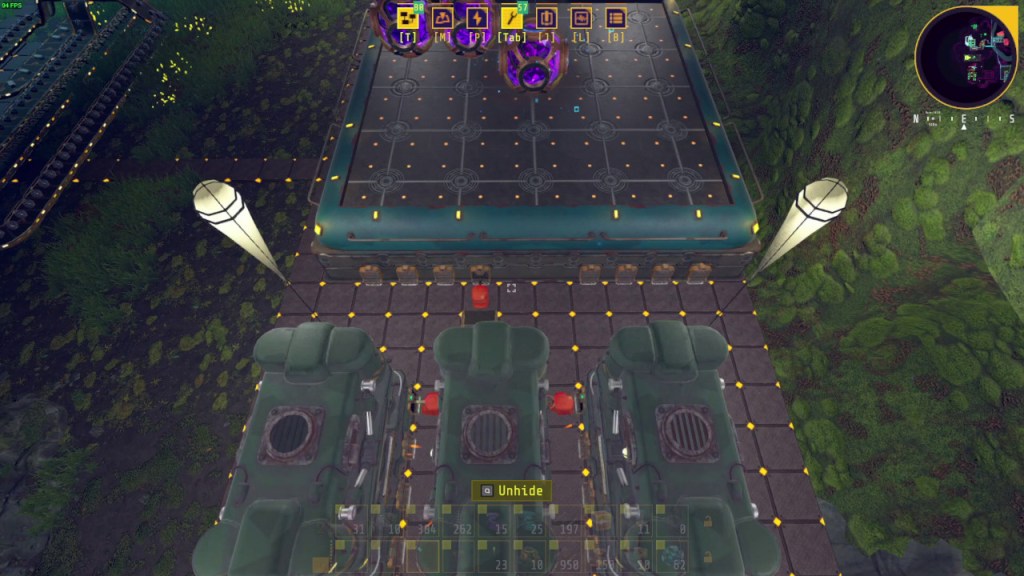
As for automation, I would highly suggest automating the production and placement of cores as it will save time. This is not a necessary step and you can be a complete mad lad and build everything by hand if you want. I will try to cover a variety of builds that range from some automation to full automation and you can pick and choose and modify the build that appeals to you.
For the simplest form of automation, you can build the copper wires and mechanical components by hand as you explore. You can dump the components into one assembler set to build research cores. The assembler needs one inserter to drop the finished product straight onto one conveyor belt which feeds into the core composer via another inserter.
For some more automation, you need one assembler for the copper wire, and one assembler for the mechanical components. Connect these two assemblers to the research core assembler and dump in the necessary ingots into the assemblers to start.
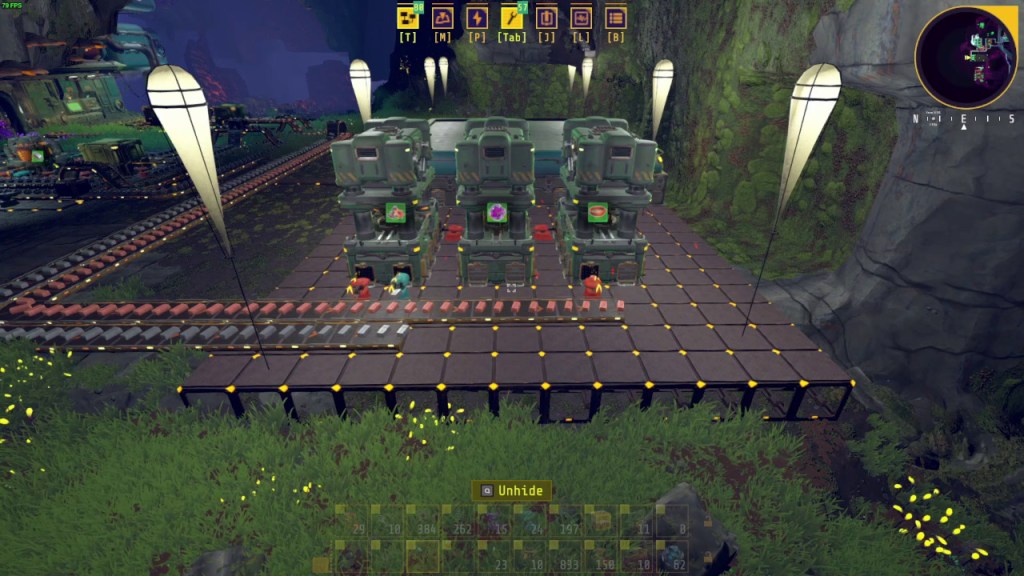
For even more automation, you can belt in the ingots from smelters and feed the assemblers. Mechanical components require both copper and iron ingots so you can split the copper belt between the two of them. You can build two smelters for each mining drill if you want. One smelter per mining drill works fine as well.
For full automation, you need to set up a bio brick production line and feed the extractors and smelters automatically. Bio brick is way more energy efficient than plant matter and only costs 6 research points under the Synthesis tab. It takes 25 plant matter and 50 limestone per bio brick. I would highly recommend getting this upgrade as soon as possible.
Fully automated bio brick production is quite an involved process so you can refer to my bio brick production line video for the full details. I will mention here bio brick lasts quite a while so hand crafting bio brick and manually feeding in 60ish bio brick at a time isn’t the worst thing in the world so full automation will not be necessary until later if this is something you don’t want to automate.
I hope this guide helped. If you have any questions at all, please feel free to let me know in the comments below and I’ll try my best to get back to you. Thank you for reading and I’ll catch you guys next time.

 Ducky Obrien